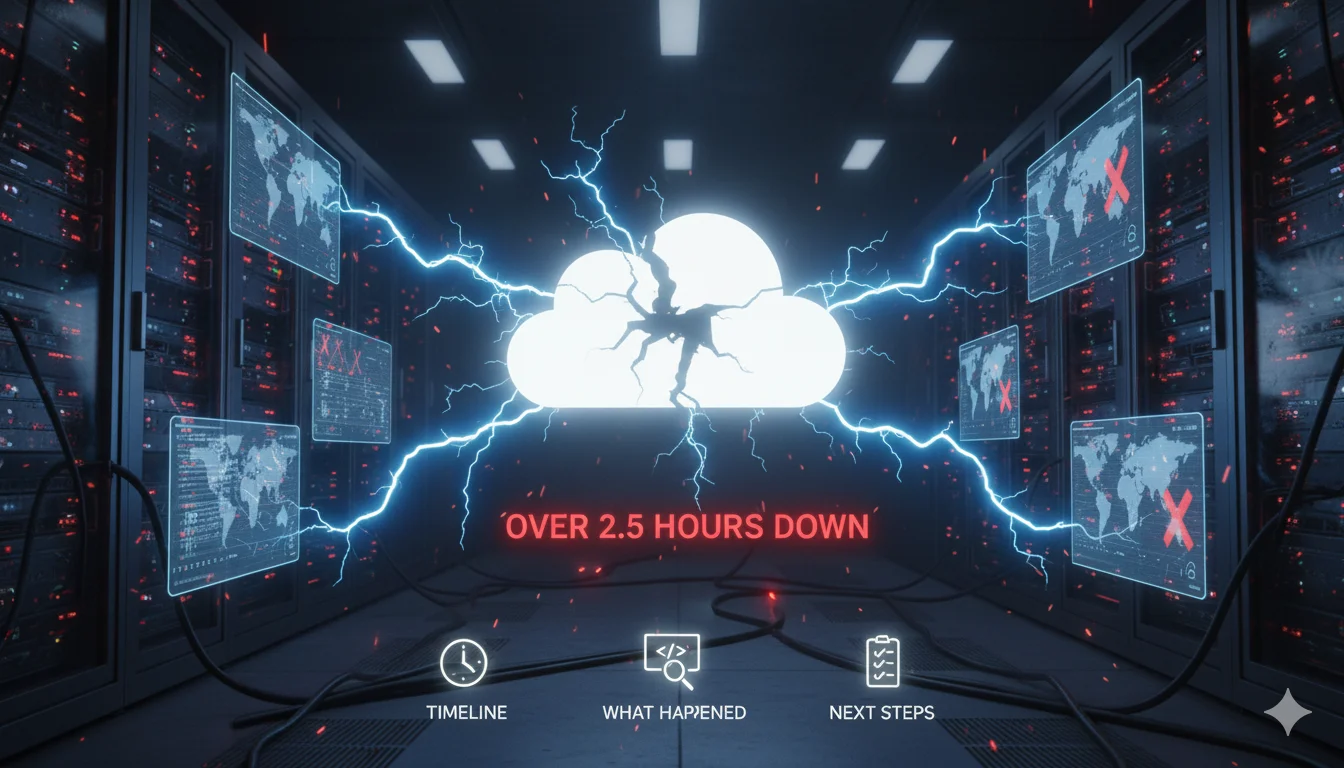
Cloudflare Global Outage November 18, 2025: What Happened, Timeline & What You Should Do Next
Published: November 18, 2025 | Reading time: 8 minutes
Executive Summary
On Tuesday, November 18, 2025, Cloudflare—one of the world's largest internet infrastructure providers—experienced a massive global outage that lasted over 2.5 hours. The root cause was an automatically generated configuration file used to manage threat traffic that grew beyond an expected size, which triggered a crash in the software system handling traffic for several services. The incident affected millions of users worldwide and raised critical questions about internet infrastructure dependencies.
🕐 Complete Timeline: Hour-by-Hour Breakdown
11:20 UTC (6:20 AM ET) - Initial Detection
Cloudflare began observing a spike in unusual traffic to one of its services. Internal systems started showing signs of degradation.
11:48 UTC (6:48 AM ET) - Public Acknowledgment
Cloudflare confirmed awareness of and investigation into an issue impacting multiple customers. The status page showed initial warnings.
12:03 UTC (7:03 AM ET) - Full Impact Revealed
Cloudflare acknowledged widespread 500 errors with Dashboard and API also failing. At this point, major services globally went dark.
12:19 UTC (7:19 AM ET) - Peak Crisis
Downdetector logged 11,145 Cloudflare issues at 14:19 GMT. This represented the height of the outage impact.
12:53 UTC (7:53 AM ET) - Investigation Continues
Cloudflare engineers worked to isolate the problem. Network interfaces in London's datacenter became temporarily unavailable, and WARP access was disabled as part of emergency remediation.
13:09 UTC (8:09 AM ET) - Fix Identified
Cloudflare identified the root cause and began deploying fixes across their global network.
13:35 UTC (8:35 AM ET) - Dashboard Restored
Dashboard services were restored after deploying a change, though broader application services remained impacted.
14:42 UTC (9:42 AM ET) - Resolution Declared
Cloudflare stated they believed the incident was resolved and would continue monitoring for errors.
Total Outage Duration: Approximately 2 hours and 50 minutes
💥 Who Was Affected? The Domino Effect
The impact was staggering and touched nearly every corner of the internet:
Major Social Platforms
- X (Twitter): X experienced outages for users worldwide
- Discord: Communication channels went silent
- Spotify: Music streaming interrupted globally
AI & Productivity Tools
- ChatGPT: OpenAI products such as ChatGPT became inaccessible
- Claude AI: Anthropic's chatbot experienced major service disruption
- Sora: OpenAI's video generation tool went offline
The Ultimate Irony
Downdetector itself was impacted by the Cloudflare outage, making it difficult for users to even report problems or check the status of other services.
Critical Infrastructure
- Nuclear Plant Access Systems: PADS (Personnel Access Data System) for nuclear plants was impacted, affecting visitor access
- Public Transportation: Multiple public transport digital services went down
- E-commerce: McDonald's self-service ordering systems were photographed as broken
- Gaming: Runescape and other online games became inaccessible
Business Services
- Shopify storefronts
- Indeed job listings
- Truth Social platform
- Letterboxd film reviews
- NJ Transit digital services
🔍 Technical Deep Dive: What Actually Broke?
The root cause was an automatically generated configuration file used to manage threat traffic that grew beyond an expected size of entries, triggering a crash in the software system handling traffic.
Why This Matters
Cloudflare processes trillions of requests daily. When their threat management system encountered an unexpectedly large configuration file, it created a cascading failure across:
- Edge servers - Unable to process traffic rules
- API infrastructure - Dashboard access completely failed
- DNS resolution - Some domain lookups affected
- CDN delivery - Content distribution halted
- Security services - WAF and DDoS protection interrupted
Geographic Impact Zones
Geographic hotspots showed higher error rates in Europe (Frankfurt, Amsterdam, London) and parts of North America.
💰 The Real Cost: What This Outage Meant for Business
While Cloudflare hasn't released official figures, industry analysts estimate:
- E-commerce losses: $300,000 - $500,000 per hour for mid-size operations routing $10M monthly
- Ad revenue losses: Major platforms lost millions in advertising during downtime
- Productivity impact: Countless businesses unable to access critical cloud tools
- Reputation damage: Immeasurable impact on trust in cloud infrastructure
Cloudflare shares slid more than 2% following the incident.
🚨 This is the Third Major Cloud Outage in 30 Days
This outage comes around a month after Amazon Web Services suffered a daylong disruption, followed by a global outage of Microsoft's Azure cloud and 365 services.
The pattern is alarming:
- October 2025: AWS multi-hour outage
- November 2025: Microsoft Azure global disruption
- November 18, 2025: Cloudflare worldwide failure
The internet is increasingly concentrated around a handful of providers. When one fails, millions of services disappear instantly.
⚠️ What Should You Have Done During the Outage?
If you were caught in this outage, here's what actually worked:
Immediate Actions
-
Check Cloudflare Status Page
- Even though it was slow, it was the official source of truth
- Alternative: StatusGator (though it also had issues)
-
Switch DNS Temporarily
- If using Cloudflare DNS (1.1.1.1), switch to:
- Google DNS: 8.8.8.8 / 8.8.4.4
- Quad9: 9.9.9.9
- OpenDNS: 208.67.222.222
- If using Cloudflare DNS (1.1.1.1), switch to:
-
Enable "Development Mode"
- If you could access the dashboard intermittently
- Bypasses Cloudflare caching temporarily
-
Communicate with Users
- Post updates on social media (platforms NOT using Cloudflare)
- Send email notifications
- Update your website's DNS to bypass Cloudflare temporarily
-
Check Your Origin Server
- Verify your origin server was still operational
- Prepare for traffic spike when service restored
What DIDN'T Work
- Refreshing repeatedly (just added load)
- Switching browsers or devices
- Clearing cache and cookies
- Using VPNs (Cloudflare was the problem, not your connection)
🛡️ Long-Term Solutions: Alternatives & Multi-CDN Strategy
This outage has made one thing crystal clear: you cannot rely on a single CDN provider, no matter how reliable they claim to be.
Top Cloudflare Alternatives for 2025
1. Fastly - Best for Performance & Control
Fastly provides greater control and customization with more granular CDN configuration settings and often outperforms Cloudflare's network in certain regions
Pros:
- Real-time purging (instantly clear cache)
- Superior edge computing with Compute@Edge
- VCL scripting for custom logic
- Better performance in specific regions
Cons:
- No free tier
- $50/month minimum spend
- Steeper learning curve
Pricing: Usage-based, starts at $50/month
2. Akamai - Best for Enterprise
Akamai operates one of the world's largest CDN networks and can handle massive traffic volumes, with more comprehensive security features than Cloudflare
Pros:
- 450+ Points of Presence (more than Cloudflare)
- Enterprise-grade DDoS protection
- Strongest WAF in the industry
- 25+ years of proven reliability
Cons:
- Premium enterprise pricing
- Complex setup
- Overkill for small sites
Pricing: Custom enterprise contracts (typically $5,000+/month)
3. Bunny.net - Best Budget-Friendly Alternative
Bunny.net offers real-time caching and fast global content delivery with pay-as-you-go pricing starting at $0.01/GB
Pros:
- Extremely affordable ($0.01/GB)
- 114+ edge locations
- Instant cache purging
- Easy WordPress integration
- $1 monthly minimum
Cons:
- Limited security features vs Cloudflare
- Smaller network than major providers
- Less advanced WAF capabilities
Pricing: Pay-as-you-go, $0.01/GB (~$10/TB)
4. Amazon CloudFront - Best for AWS Users
Amazon CloudFront has 450+ globally-distributed PoPs and includes AWS Shield Standard DDoS protection with deep integration into AWS ecosystem
Pros:
- Massive global network
- Seamless AWS integration
- Built-in DDoS protection
- Edge computing with Lambda@Edge
Cons:
- Complex pricing structure
- Developer-focused (steep learning curve)
- Can get expensive at scale
Pricing: Pay-as-you-go, $0.085/GB for first 10TB/month
5. Google Cloud CDN - Best for Google Cloud Users
Pros:
- Integrated with Google's global network
- Simple pricing
- Excellent for GCP workloads
- Low latency worldwide
Cons:
- Requires Google Cloud Platform account
- Limited standalone features
- Less security features than competitors
Pricing: $0.04 - $0.08/GB depending on region
The Multi-CDN Approach: Your Best Defense
Smart organizations are now implementing multi-CDN architectures:
Strategy 1: Primary + Failover
- Primary: Cloudflare (or your preferred CDN)
- Failover: Fastly or Bunny.net
- Setup: DNS failover automatically switches if primary fails
- Cost: ~20-30% more than single CDN
- Downtime: Near-zero during outages
Strategy 2: Geographic Split
- Europe: Cloudflare
- North America: Fastly
- Asia-Pacific: Akamai
- Setup: GeoDNS routes traffic to optimal CDN by region
- Cost: ~40-50% more than single CDN
- Benefit: Optimized performance + redundancy
Strategy 3: Traffic Splitting
- 70% through Cloudflare
- 30% through backup CDN
- Setup: Load balancer distributes traffic
- Cost: ~30% more than single CDN
- Benefit: Continuous testing of backup, partial redundancy
🔧 How to Implement Multi-CDN (Step-by-Step)
Phase 1: Choose Your Secondary CDN (Week 1)
- Evaluate alternatives based on your traffic patterns
- Sign up for a secondary CDN account
- Test with a subdomain first (e.g., cdn-test.yourdomain.com)
Phase 2: Configure DNS Failover (Week 2)
-
Use a DNS provider that supports health checks:
- Cloudflare DNS (ironically, but configure for failover)
- AWS Route 53
- NS1
- DNSimple
-
Set up health check monitoring:
Primary CDN: cdn.yourdomain.com → Cloudflare Health check: Every 30 seconds Failover threshold: 3 consecutive failures Backup CDN: cdn-backup.yourdomain.com → Fastly/Bunny -
Configure weighted routing:
- 100% to primary during normal operation
- Automatic failover to backup on health check failure
- 5-minute TTL for fast switchover
Phase 3: Test Failover (Week 3)
- Temporarily disable primary CDN access
- Verify automatic failover works
- Check performance metrics
- Document failover time and process
Phase 4: Monitor & Optimize (Ongoing)
-
Set up monitoring:
- Uptime Robot
- Pingdom
- StatusCake
- Your own health checks
-
Track metrics:
- Response times from both CDNs
- Cache hit rates
- Cost per GB served
- Failover frequency
📊 Cost Comparison: Single vs Multi-CDN
Scenario: 10TB/month traffic
| Strategy | Monthly Cost | Downtime Risk | Complexity |
|---|---|---|---|
| Single CDN (Cloudflare Pro) | $20-200 | HIGH | Low |
| Primary + Failover | $250-400 | VERY LOW | Medium |
| Multi-CDN Active | $400-600 | MINIMAL | High |
ROI Calculation:
- Cost of 1-hour outage for mid-size e-commerce: $300,000
- Multi-CDN additional cost: ~$200-400/month
- Payback period: Single prevented outage
🎯 Action Plan: What to Do RIGHT NOW
For Small Websites (< 1TB/month)
Immediate (This Week):
- Sign up for Bunny.net ($1 minimum) as backup
- Set up DNS health monitoring with UptimeRobot (free)
- Document your current CDN configuration
Short-term (This Month):
- Test Bunny.net on a subdomain
- Configure basic DNS failover
- Create runbook for manual failover
Investment: ~$10-20/month
For Medium Sites (1-10TB/month)
Immediate:
- Evaluate Fastly or Amazon CloudFront
- Run parallel tests with secondary CDN
- Implement monitoring across both CDNs
Short-term:
- Set up automatic DNS failover
- Configure 80/20 traffic split for testing
- Optimize cache rules on both CDNs
Investment: ~$200-500/month
For Enterprise (10TB+/month)
Immediate:
- RFP for multi-CDN architecture
- Engage CDN consultants if needed
- Implement traffic distribution immediately
Short-term:
- Full multi-CDN deployment
- Real-time failover with load balancing
- 24/7 monitoring and alerting
Investment: $1,000-10,000+/month (but essential)
📈 Future-Proofing: The Bigger Picture
This Cloudflare outage is a wake-up call. Here's what industry experts are saying:
The Infrastructure Consolidation Problem
Signal President Meredith Whittaker explained the detriment of so much of the internet being run on just a few infrastructure services like CloudFlare and AWS, asking how we got to a place where there's no realistic alternative.
The reality: ~35% of the internet routes through just 3 companies:
- Cloudflare
- Amazon (AWS/CloudFront)
- Microsoft (Azure)
When any one fails, billions of users are affected.
What's Coming in 2026
- Regulatory Pressure: Governments may mandate redundancy requirements
- Insurance Requirements: Business interruption policies may require multi-CDN
- Edge Computing: More distributed architecture reduces single points of failure
- Blockchain CDNs: Decentralized alternatives gaining traction
✅ Checklist: Are You Prepared for the Next Outage?
Infrastructure Resilience:
- [ ] Secondary CDN configured and tested
- [ ] DNS failover automation in place
- [ ] Health monitoring active 24/7
- [ ] Runbook documented for manual failover
- [ ] Origin server can handle full traffic spike
- [ ] Team trained on failover procedures
Communication Preparedness:
- [ ] Status page not dependent on primary CDN
- [ ] Email notification system ready
- [ ] Social media accounts accessible
- [ ] Customer support scripts prepared
- [ ] Internal communication channels defined
Monitoring & Alerts:
- [ ] Multiple monitoring services (not just one)
- [ ] Alert thresholds configured
- [ ] Escalation procedures defined
- [ ] Incident response team designated
- [ ] Post-mortem template ready
Business Continuity:
- [ ] Downtime cost calculated
- [ ] Insurance coverage reviewed
- [ ] SLA requirements understood
- [ ] Budget approved for redundancy
- [ ] Executive buy-in secured
🔮 Key Takeaways
- No CDN is 100% reliable - Even industry giants experience outages
- Single points of failure are unacceptable - Multi-CDN is now essential, not optional
- The cost of redundancy is less than the cost of downtime - Do the math for your business
- Proactive > Reactive - Implement failover BEFORE the next outage, not after
- The internet is fragile - Centralization is the enemy of reliability
💬 Final Thoughts
Cloudflare apologized, stating "Given the importance of Cloudflare's services, any outage is unacceptable. We apologize to our customers and the internet in general for letting you down today."
But apologies don't restore lost revenue or customer trust.
The question isn't whether there will be another major outage.
The question is: Will YOUR site be ready when it happens?
🔗 Useful Resources
- Cloudflare Status Page
- Multi-CDN Implementation Guide
- CDN Performance Monitoring Tools
- Fastly Free Trial
- Bunny.net Signup
- AWS CloudFront Pricing Calculator
Ready to protect your website from the next major outage? Check your site's current status and setup monitoring at IsYourWebsiteDownRightNow.com
This article was last updated on November 18, 2025, following the Cloudflare global outage. Information is accurate as of publication time.