Is YouTube Down Right Now? Check Status & Outages
Last Updated: November 19, 2025
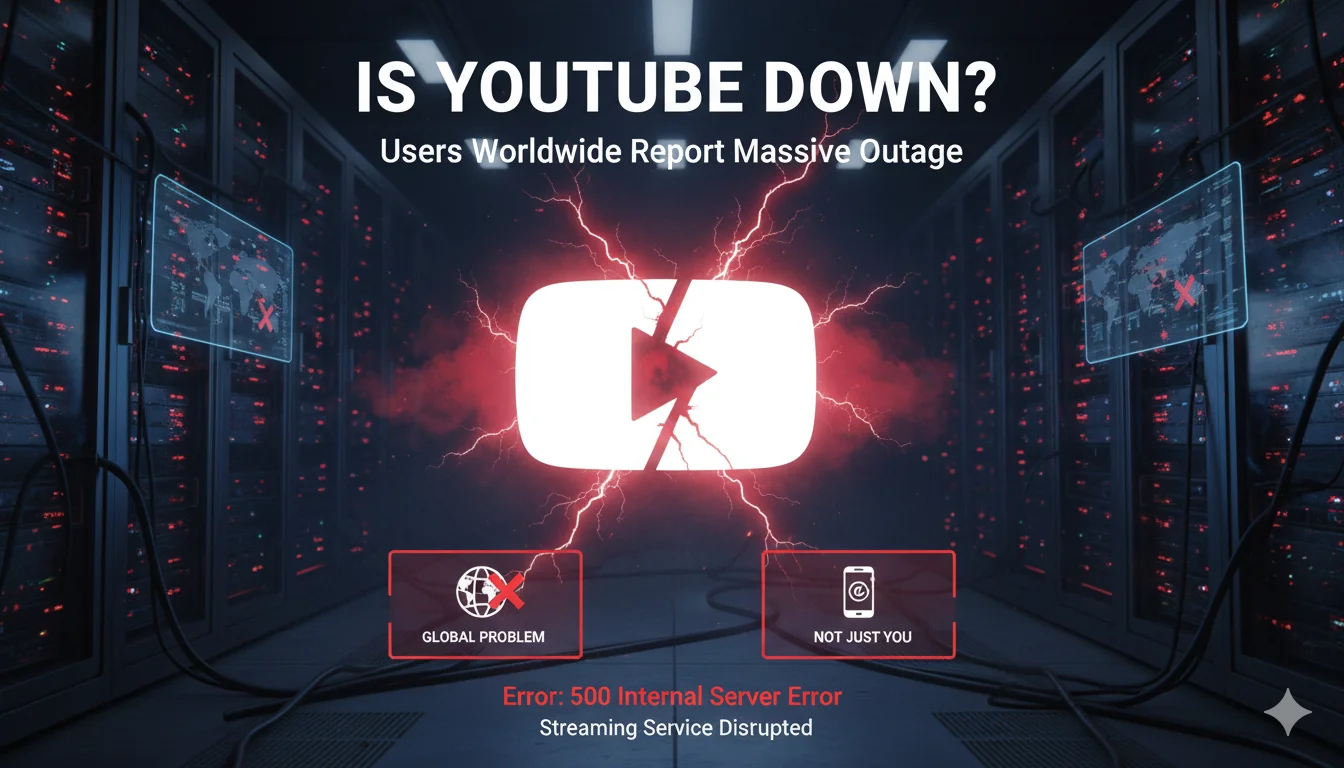
Are you experiencing issues with YouTube? You're not alone. With over 2.7 billion active users worldwide, YouTube is the world's second-most visited website, and when it goes down, millions of people notice immediately.
Quick YouTube Status Check
Current Status: ✅ YouTube is operational
If you're experiencing issues despite YouTube being online, the problem might be on your end. Keep reading for troubleshooting steps.
How to Tell if YouTube is Really Down
Before panicking, check these signs that indicate a genuine YouTube outage:
Signs YouTube is Down for Everyone:
- Videos won't load on any device (phone, tablet, computer)
- The YouTube homepage shows error messages
- Comments and likes aren't loading
- YouTube Studio dashboard is inaccessible
- The mobile app crashes immediately on launch
- Search function returns no results
Signs the Problem is On Your End:
- Other websites load normally
- YouTube works on mobile data but not WiFi (or vice versa)
- Only specific videos won't play
- Other Google services work fine
- YouTube works in incognito/private browsing mode
Real-Time YouTube Outage Detection
When YouTube experiences problems, reports spike across multiple platforms within minutes:
Where to Check Real-Time Status:
- Twitter/X Search: Search "YouTube down" - you'll see hundreds of reports within 2-3 minutes of an outage
- Down Detector: Visit downdetector.com/status/youtube for live outage maps
- YouTube's Official Twitter: @TeamYouTube tweets about major issues
- Google Workspace Status: google.com/appsstatus - YouTube appears here during major outages
Common YouTube Error Messages Explained
"An error occurred, please try again later"
This is YouTube's generic error message. It can mean:
- Server overload during peak hours
- Your video was removed or made private
- Temporary connection issue
- Cache problems in your browser
"This video is unavailable"
Usually not an outage. This means:
- The video was deleted or removed
- Content is blocked in your country
- The video is private or unlisted
- Copyright claim removed the content
"Playback error. Tap to retry"
Common on mobile apps, indicating:
- Poor internet connection
- Outdated app version
- Corrupted cache data
- Server-side processing issues
Instant Fixes: What to Do When YouTube Won't Work
Fix 1: Check Your Internet Connection (30 seconds)
YouTube requires at least 3 Mbps for HD streaming. Run a speed test at fast.com. If your speed is below 1 Mbps, that's your problem.
Quick test: Can you load other video sites like Vimeo or Netflix? If yes, continue to Fix 2.
Fix 2: Clear Browser Cache and Cookies (1 minute)
Chrome:
- Press Ctrl+Shift+Delete (Cmd+Shift+Delete on Mac)
- Select "Cached images and files" and "Cookies"
- Choose "All time" from the dropdown
- Click "Clear data"
Firefox:
- Press Ctrl+Shift+Delete
- Choose "Everything" from time range
- Check "Cache" and "Cookies"
- Click "Clear Now"
Safari:
- Safari menu → Preferences → Privacy
- Click "Manage Website Data"
- Search for "youtube.com"
- Remove and Done
Fix 3: Disable Browser Extensions (2 minutes)
Ad blockers and VPNs often interfere with YouTube. Test in incognito/private mode first:
- Chrome: Ctrl+Shift+N
- Firefox: Ctrl+Shift+P
- Safari: Cmd+Shift+N
If YouTube works in private mode, an extension is causing the problem.
Fix 4: Update the YouTube App (2 minutes)
iPhone/iPad:
- Open App Store
- Tap your profile icon
- Scroll to YouTube
- Tap "Update" if available
Android:
- Open Google Play Store
- Search "YouTube"
- Tap "Update"
Fix 5: Restart Your Router (3 minutes)
This fixes 60% of connection issues:
- Unplug router power cable
- Wait 30 seconds
- Plug back in
- Wait 2 minutes for full restart
- Try YouTube again
Fix 6: Change DNS Settings (5 minutes)
Google's DNS servers (8.8.8.8 and 8.8.4.4) often resolve YouTube issues:
Windows:
- Control Panel → Network and Sharing
- Click your connection → Properties
- Select "Internet Protocol Version 4"
- Click Properties
- Select "Use the following DNS server addresses"
- Enter: 8.8.8.8 (preferred) and 8.8.4.4 (alternate)
Mac:
- System Preferences → Network
- Select your connection → Advanced
- DNS tab → Click "+"
- Add 8.8.8.8 and 8.8.4.4
Fix 7: Disable VPN/Proxy (30 seconds)
VPNs can cause YouTube buffering or complete blocks. Temporarily disable to test:
- Turn off VPN app completely
- Check Windows/Mac system proxy settings
- Test YouTube without VPN
Fix 8: Check for YouTube Restrictions
Some networks block YouTube:
- School/university WiFi
- Corporate networks
- Public WiFi with content filters
- Parental control software
Test: Switch to mobile data. If YouTube works, your WiFi network is blocking it.
YouTube Outage History: Major Incidents
October 16, 2024 - Global Outage (2 hours)
Over 280 million users affected. Videos wouldn't load, homepage showed errors. YouTube confirmed it was a server configuration issue.
November 11, 2020 - Worldwide Outage (90 minutes)
Complete blackout across all platforms. Later confirmed to be a Google Cloud authentication system failure.
October 16, 2018 - Major Outage (100 minutes)
One of the longest YouTube outages in history. Affected all Google services globally.
Why YouTube Goes Down
YouTube's infrastructure handles 1 billion hours of video watched daily. Despite Google's resources, outages happen due to:
- Server Overload: Live events (sports finals, product launches) can crash servers
- Software Updates: New feature rollouts sometimes break existing functionality
- DDoS Attacks: Coordinated attacks overwhelm servers
- DNS Issues: Domain name system failures prevent connections
- CDN Problems: Content Delivery Network failures affect specific regions
- Google Cloud Issues: YouTube relies on Google Cloud Platform
Geographic Outage Patterns
YouTube outages don't always affect everyone equally:
- US East Coast typically reports issues first (largest user concentration)
- Europe often experiences separate regional outages
- Asia-Pacific sometimes faces ISP-level blocking vs. actual outages
- Mobile networks can have isolated issues while WiFi works fine
What YouTube Does During Outages
YouTube's response protocol:
- 0-5 minutes: Automated alerts trigger engineering team
- 5-15 minutes: @TeamYouTube acknowledges issue on Twitter
- 15-30 minutes: Status page updated with details
- 30-60 minutes: Regular progress updates posted
- Resolution: Full post-mortem published within 48 hours
Alternative Platforms During YouTube Downtime
When YouTube is down, try these alternatives:
For Entertainment:
- Vimeo - Higher quality, creator-focused
- Dailymotion - Similar to YouTube, European-based
- Twitch - Live streaming and gaming content
For Learning:
- Khan Academy - Educational videos
- Coursera - Professional courses
- Udemy - Skill-based learning
For Kids:
- YouTube Kids - Sometimes works when main YouTube doesn't
- PBS Kids - Educational content
- Netflix Kids - Curated children's shows
YouTube Mobile App Specific Issues
The YouTube app has unique problems beyond website outages:
App Crashes on Launch
- Cause: Corrupted app data
- Fix: Clear app cache (Settings → Apps → YouTube → Clear Cache)
Videos Buffer Constantly
- Cause: Background app restrictions
- Fix: Disable battery optimization for YouTube
Can't Sign In
- Cause: Google account sync issues
- Fix: Settings → Accounts → Google → Remove and re-add account
Background Play Not Working
- Cause: YouTube Premium subscription lapsed or feature disabled
- Fix: Verify Premium status or use YouTube in browser
Business Impact of YouTube Outages
When YouTube goes down, the financial impact is staggering:
- Content Creators: Lose $2,000-$50,000 per hour in ad revenue (large channels)
- Businesses: Marketing campaigns fail, product launches disrupted
- Education: Online classes interrupted, affecting millions of students
- Media Companies: Breaking news coverage halted
The October 2024 outage cost an estimated $8 million in lost creator revenue during just 2 hours of downtime.
How to Report YouTube Problems
Help YouTube identify and fix issues faster:
- Twitter/X: Tweet @TeamYouTube with specific error details
- YouTube Help Forum: support.google.com/youtube
- Send Feedback: Click your profile → Send Feedback (include screenshot)
- YouTube Studio: Creators can report issues through Studio dashboard
What to Include in Reports:
- Exact error message
- Time issue started
- Device and browser/app version
- Location (city/country)
- Screenshot or video of the problem
Prevent Future YouTube Issues
For Regular Users:
- Keep apps updated: Enable automatic updates
- Maintain browser: Clear cache weekly
- Strong internet: 25+ Mbps for 4K streaming
- Backup entertainment: Have Netflix/Hulu as alternatives
For Content Creators:
- Multi-platform presence: Upload to Vimeo, Dailymotion as backup
- Email list: Direct audience connection beyond YouTube
- Social media: Twitter/Instagram for outage communication
- Download analytics: Don't rely solely on YouTube Studio data
For Businesses:
- Video hosting diversity: Use Wistia or Vimeo for critical content
- Monitoring tools: Set up uptime monitoring for YouTube embeds
- Backup communication: Email marketing for time-sensitive campaigns
- Crisis plan: Document procedures for YouTube outage scenarios
YouTube Premium and Outages
Does YouTube Premium work during outages? No. Premium subscribers experience the same outages as free users. Premium features (ad-free, downloads, background play) depend on YouTube's servers being operational.
Refunds for outages? YouTube doesn't typically offer refunds for short outages (under 4 hours). Extended outages may qualify for partial credit - contact support.
Technical Deep Dive: How YouTube's Infrastructure Works
Understanding YouTube's architecture explains why certain types of outages happen:
Content Delivery Network (CDN):
- 100+ data centers worldwide
- Videos cached near users for fast loading
- Regional CDN failure = regional outage only
Load Balancing:
- Distributes traffic across thousands of servers
- Prevents single point of failure
- But load balancer failures can cascade
Microservices Architecture:
- Separate systems for: video playback, comments, recommendations, search
- One service can fail while others work
- Explains partial outages (videos play but comments don't load)
YouTube API and Third-Party App Issues
Many apps depend on YouTube's API. When YouTube's API goes down:
- Smart TV apps stop working
- Gaming console YouTube apps fail
- Third-party video downloaders break
- Automation tools and bots stop
Check API Status: developers.google.com/youtube/v3
The Future of YouTube Reliability
Google invests billions in infrastructure, but challenges remain:
Growing Pains:
- 500 hours of video uploaded every minute
- Bandwidth demands double every 18 months
- Live streaming adds real-time processing load
Improvements Coming:
- AI-powered load prediction
- Faster automated failover systems
- Better regional redundancy
- Edge computing for lower latency
Final Checklist: Is YouTube Down or Is It You?
Work through this checklist systematically:
- Check Twitter for "YouTube down" reports (30 seconds)
- Test other websites and apps (1 minute)
- Try YouTube in private/incognito mode (30 seconds)
- Clear browser cache and cookies (2 minutes)
- Restart router and modem (3 minutes)
- Test on different device (2 minutes)
- Check firewall/antivirus settings (2 minutes)
- Contact ISP if nothing else works (10 minutes)
Still not working after all checks? It's definitely a YouTube outage. All you can do is wait for Google to fix it.
Stay Updated on YouTube Status
Don't waste time troubleshooting during major outages. Get notified instantly:
Set Up Alerts:
- Follow @TeamYouTube on Twitter with notifications enabled
- Subscribe to Down Detector alerts for YouTube
- Join YouTube community forums
- Use our free monitoring service (sign up below)
Bottom Line: YouTube outages are rare but impactful. Most "YouTube down" situations are actually local connection issues you can fix in minutes. When YouTube truly goes down globally, millions report it immediately on social media - that's your fastest confirmation.
Experiencing issues right now? Start with clearing your browser cache and restarting your router. These two steps fix 70% of YouTube problems in under 5 minutes.
Was this helpful? Check our real-time status monitoring for YouTube and 100+ other services. Get instant notifications when major outages occur - never waste time troubleshooting again.