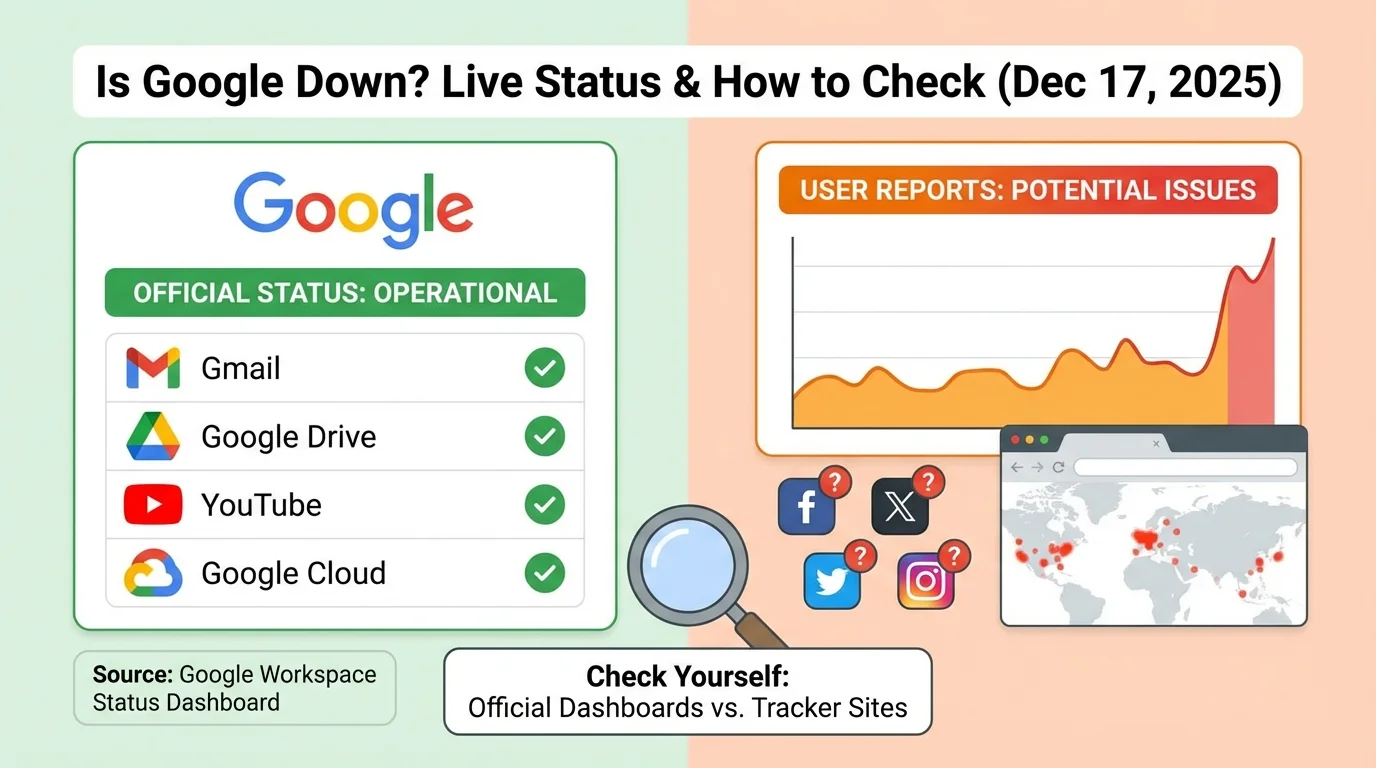
When Google hiccups, the United States holds its breath. In 2025, our reliance on the Google ecosystem is absolute. It’s not just about searching for a recipe; it’s about enterprise communications via Gmail and Workspace, navigation via Google Maps, entertainment via YouTube, and the backbone of millions of Android smartphones and smart home devices.
If Google services suddenly stop working, it often feels like the entire internet has gone completely dark. Remote work grinds to a halt, students can't submit assignments, and critical business data becomes inaccessible.
When this happens, the immediate reaction is a mix of panic and frustration, leading to the same question typed furiously into smartphones across the country:
"Is Google down right now, or is it just me?"
In moments of digital crisis, Twitter (X) and Reddit fill with unverified rumors, outdated screenshots, and panicked speculation. Relying on delayed crowd-sourced reports can lead to wasted hours troubleshooting the wrong problem. To truly understand the situation, you need direct access to infrastructure-level diagnostics, not just user sentiment.
This definitive guide moves beyond guesswork. We provide you with the tools to check Google’s real-time infrastructure status using live HTTP requests, DNS resolution, and SSL handshake data. Furthermore, we will help you distinguish between a massive Google outage and a localized problem with your ISP or home network.
✅ The Definitive Live Google Status Check (Real-Time)
If you are experiencing issues right now, stop reading rumors on social media and perform a live diagnostic test. The fastest and most reliable way to verify Google’s current availability is through direct server interrogation from a neutral network standpoint.
Click the button below to perform an immediate, real-time technical audit of Google's public-facing servers:
👉 Check Google Live Infrastructure Status
This is not a cached report or a count of user complaints. When you utilize this tool, our infrastructure performs an instantaneous, multi-vector check of Google's servers and provides you with actionable data:
- Overall Availability Status: Clear indicators (UP, DOWN, SLOW, or RESTRICTED).
- HTTP Response Code: Verifies if the server is responding normally (e.g., HTTP 200 OK) or throwing specific error codes.
- Live Response Time (Latency): Measured in milliseconds (ms), indicating network stress or congestion.
- SSL Certificate Health: Ensures security protocols are active and valid, preventing browser security warnings.
- DNS Resolution Data: Confirms the domain name is correctly translating to an IP address.
🤔 Understanding Google's Architecture: Why "Total Outages" Are Rare
Before assuming the worst, it is crucial to understand the scale of Google's infrastructure. Google doesn't run on a single server rack in Silicon Valley. It operates massive, hyper-redundant data centers globally, with heavy concentrations across the United States (from Oregon to Northern Virginia).
Because of this architecture, a "total global blackout" where www.google.com fails for everyone on Earth simultaneously is statistically highly improbable. What users usually experience are nuanced failures:
- Regional Outages: A major fiber cut or a data center power failure in Ashburn, VA, might severely impact users on the East Coast of the US, while users in California or Europe notice nothing wrong.
- Specific Service Failures: Google's services are modular. The system that handles Gmail attachments is different from the system that powers Google Search rankings. It is common for one service (like YouTube or Drive) to fail while the main Google homepage remains perfectly functional.
- Authentication Layer Failure: This is a common point of failure. If Google's centralized login system crashes, you won't be able to access private data in Gmail or Docs, even if the public-facing search engine is "UP."
🛠️ Troubleshooting Guide: Is It Google, or Is It YOU?
This is the most critical section for the average user. If our live checker above shows that Google is UP (Green), but you still cannot access it, the problem almost certainly lies somewhere between your device and the internet backbone.
In the US, localized issues with major ISPs (like Comcast Xfinity, AT&T, Spectrum, or Verizon) are far more common than Google infrastructure failures.
Follow these steps to diagnose a local issue:
Step 1: The "Incognito" and Browser Test
Corrupted browser cache or bad cookies are notorious for breaking complex web applications like Gmail.
- Open an "Incognito" or "Private" window in your browser and try accessing the service. If it works there, your main browser data is corrupted. Clear your cache and cookies.
- Try a different browser completely (e.g., if Chrome is failing, try Edge or Firefox) to rule out browser-specific bugs.
Step 2: The Network Swap Test
Determine if the issue is locked to your current internet connection.
- If you are on home Wi-Fi, disconnect your smartphone from Wi-Fi and try accessing Google using cellular data (5G/LTE).
- If it works on cellular data but not Wi-Fi, the problem is with your home network router or your home Internet Service Provider (ISP).
Step 3: The DNS Flush (Crucial Step)
Your computer keeps a local address book of websites (DNS cache). If this gets corrupted, your computer might be trying to connect to an old, dead Google IP address. You often see errors like DNS_PROBE_FINISHED_NXDOMAIN when this happens.
Flushing the DNS is a quick fix.
- Windows: Open Command Prompt and type:
ipconfig /flushdns - macOS: Open Terminal and type:
sudo dscacheutil -flushcache; sudo killall -HUP mDNSResponder
If DNS issues persist, read our detailed guide on how to fix persistent DNS issues and consider temporarily switching your DNS providers to Cloudflare (1.1.1.1) or Google Public DNS (8.8.8.8).
Step 4: ISP-Level Blocking or Outages
Sometimes, your ISP has regional routing issues that prevent you from reaching specific parts of the internet. If major US hubs (like Chicago, Dallas, or NYC) are experiencing ISP congestion, packets destined for Google might be dropped. Furthermore, though rare for Google, some security software or ISP firewalls can mistakenly block legitimate traffic.
📘 Learn More: Website Blocked by ISP? Here’s How to Check (and Fix It)
🧪 Interpreting the Data: What Do the Errors Mean?
When you use our status checker, we provide raw data. Here is how to interpret it like an IT professional:
1️⃣ Google Is Up, But Extremely Slow (High Latency)
The service is technically online, but network congestion makes it unusable. If the response time is over 200-300ms from a US test node, you will experience significant lag in Gmail or buffering on YouTube. This is often a transient network issue, not a server crash.
👉 Test Google current response time and speed
2️⃣ HTTP 500-Level Errors (The Real Outage Indicators)
If our checker returns errors in the 500 range, Google is having legitimate server-side problems.
- HTTP 500 Internal Server Error: A generic error meaning something broke on Google's end. (Read more about HTTP 500 errors).
- HTTP 503 Service Unavailable: Google's servers are overloaded or undergoing maintenance. This is the most common error seen during brief hiccups. (Read more about HTTP 503 errors).
- HTTP 502 Bad Gateway: A server acting as a proxy received an invalid response from an upstream server inside Google's network. (Read more about HTTP 502 errors).
3️⃣ SSL/TLS Security Errors
If the checker reports an SSL error, your browser will likely show a terrifying red warning saying "Your connection is not private." While Google rarely lets its main certificates expire, local antivirus software or misconfigured system clocks on your computer can trigger these errors falsely.
📘 Related: SSL Certificate Errors Explained.
⚙️ Google Status API (For Developers & AI Agents)
In the modern era of automated workflows, relying on manual webpage checks is inefficient for businesses. DevOps teams, SREs, and AI agents need programmatically access to service availability status to trigger automated failovers or alert systems.
You can fetch Google’s live infrastructure status programmatically using our high-performance public API:
GET https://isyourwebsitedownrightnow.com/api/status?domain=google.com
The API returns a JSON structured response containing real-time availability status, exact HTTP response codes, latency metrics, and detailed SSL validity data, suitable for integration into monitoring dashboards like Grafana or Datadog.
📘 Full API Documentation: Real-Time Website Status API: A Definitive Guide for Infrastructure Monitoring
📊 Check Related Services
As mentioned, Google services often fail independently. If Google Search is working but you can't access your email or videos, check the specific service status pages:
- Is YouTube Down? (Often has separate outage incidents from Search)
- Is Gmail Down? (Critical for business continuity)
- Is Google Drive Down?
🧠 Final Thoughts: Trust Data Over Panic
A Google outage is a significant disruptor to daily life and business operations in the US. However, panic doesn't solve connectivity problems.
The next time Google feels broken, don’t rely on a 30-minute-old tweet or a vague "down detector" graph based on user complaints. The only accurate way to know if Google is truly down is to check live infrastructure data.
If our tool says Google is UP, focus your energy on troubleshooting your local network, DNS settings, or contacting your ISP. If we say it's DOWN, pour another cup of coffee—the engineers in Mountain View are likely already working on it.
Real checks. Real data. Real answers.